도입
쇼핑몰을 운영하거나 협찬 후기를 작성하다 보면 제품 사진이 필요한 순간이 생각보다 많다.
하지만 제품 하나 촬영하려고 스튜디오를 빌리거나 조명을 준비하는 것은 시간도 비용도 부담스럽다.
요즘은 휴대폰으로 촬영한 제품 사진 한 장만 있어도 AI를 활용해 스튜디오에서 촬영한 것 같은 결과물을 만들 수 있다.
이번 글에서는 직접 테스트하며 다듬은 프롬프트와 함께 사용하는 방법을 알아보자!
AI가 제품 사진을 이상하게 만드는 이유
많은 사람들이 프롬프트를 그대로 복사해서 사용하지만 결과가 만족스럽지 않은 경우가 많다.
대표적으로
- 제품 모양이 바뀌는 경우
- 라벨이나 글자가 달라지는 경우
- 조명이 너무 과한 경우
- 배경이 어색한 경우
- AI 느낌이 너무 강한 경우
가장 큰 이유는 제품을 유지하는 조건이 명확하지 않기 때문이다.
직접 테스트하면서 수정한 부분
이번 프롬프트는 이런 부분을 중점적으로 수정했다.
- 제품의 모양과 라벨을 최대한 유지
- 과한 HDR 느낌 제거
- 실제 스튜디오 조명처럼 자연스러운 라이팅
- AI 특유의 플라스틱 질감 최소화
- 쇼핑몰 상세페이지에서 사용할 수 있는 자연스러운 결과
적용 결과
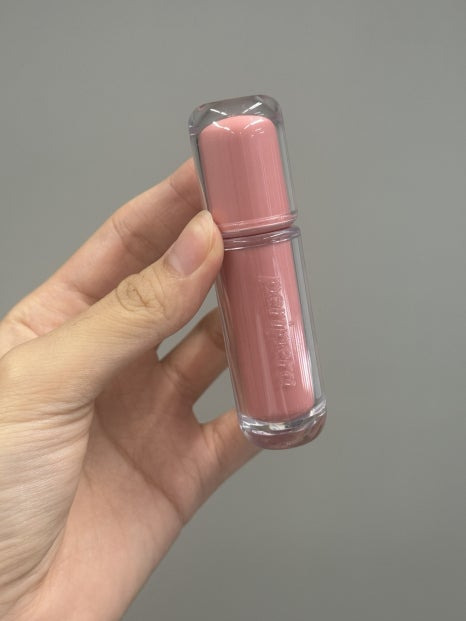
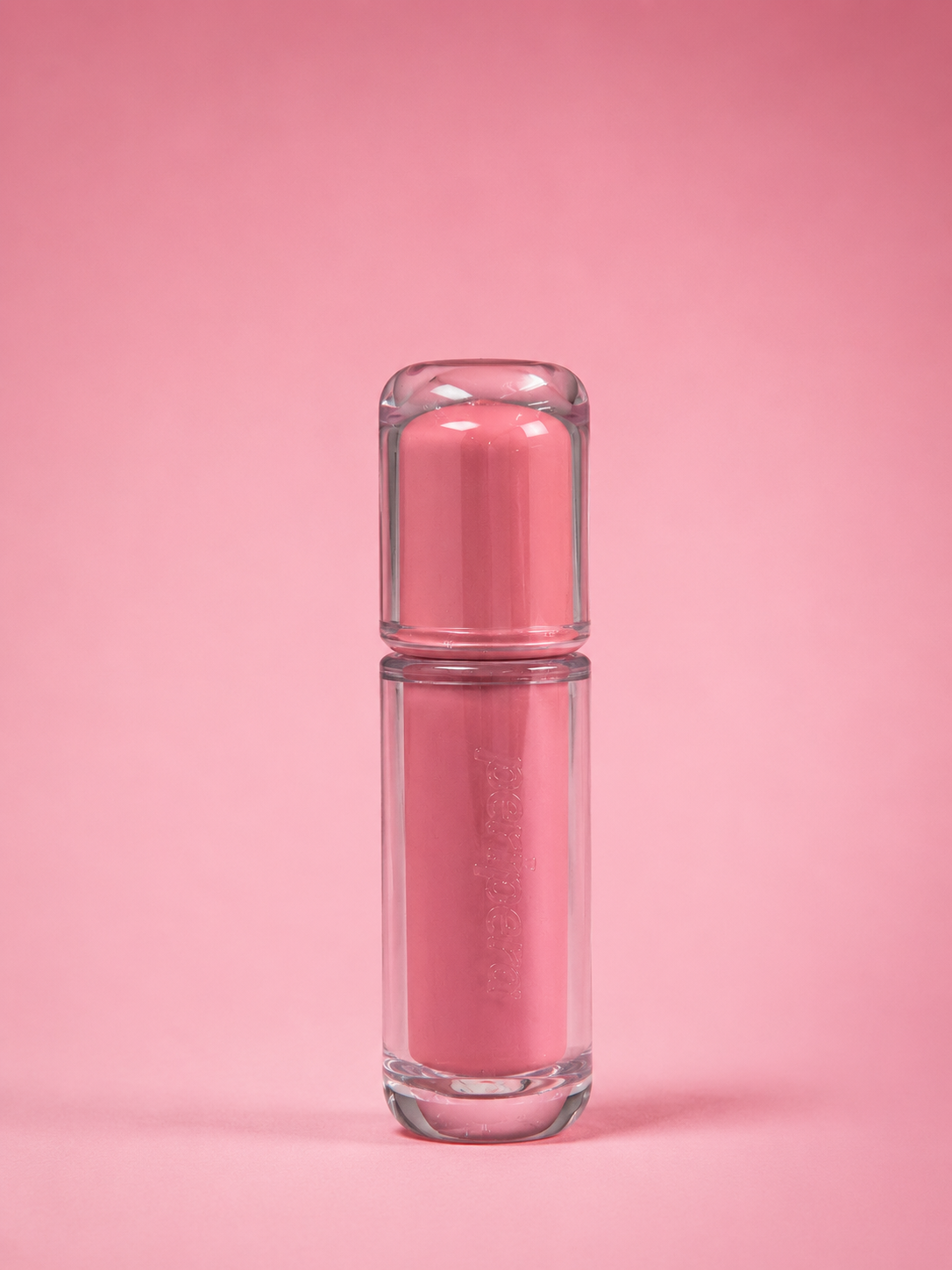
프롬프트
*프롬프트 복붙해서 쓰세요!
배경색만 대괄호 안 내용을 원하는 색으로 바꾸면 됩니다. (예: [연분홍색 그라데이션] → [연한 하늘색 단색 배경])
배경색: [연분홍색 그라데이션]
TOP PRIORITY RULE (overrides all other instructions):
Do not alter, reinterpret, simplify, beautify, or replace the product's shape, proportions, colors, typography, logo, label placement, packaging design, or any printed details. Do not generate new graphics or modify any text. Use the uploaded product image as the exact reference.
Surface Condition (preserve from reference only)
If the uploaded reference already has surface characteristics (foil creases, dents, fingerprints, dust), preserve them exactly as they are — do not smooth, retouch, or airbrush them out.
Do not add any new imperfections, textures, or damage that are not present in the reference image.
Background
Color: use the color specified above, smoothly transitioning as a gradient from top to bottom.
Matte, non-glossy studio backdrop texture, seamless infinity-style transition between floor and background (no visible horizon line).
No texture or pattern on the background.
Composition
Product centered in frame.
Front-facing angle (fixed at 0° — apply a 5–10° tilt only if separately requested).
Camera positioned at the product's eye level.
Lighting
One large diffused softbox positioned at approximately 45° from the upper left.
Soft, natural light falloff.
Slightly under-lit for realistic contrast.
Minimal fill light.
Very subtle rim light only, to gently separate the product from the background.
Avoid: strong specular highlights, plastic-looking reflections, HDR effect, overly perfect lighting, artificial glow, halo around edges, mirror-like gloss, CGI-style reflections.
Shadow
Create a soft, natural contact shadow directly beneath the product — this should read as a real grounding shadow produced by the lighting setup, not a separately rendered drop-shadow effect.
Do not make the product appear to be floating.
Do not add a separate artificial drop shadow.
Camera & Lens
Canon EOS R5, Canon RF 50mm Macro Lens
f/5.6, ISO 100, 1/125 sec
Natural depth of field.
True-to-life color rendering, neutral white balance.
Very subtle film grain.
No oversaturation, no HDR, no excessive sharpening.
Style
Authentic commercial catalog photography.
Luxury brand campaign quality.
Minimal, clean, realistic, understated.
Should look exactly like an official brand website product photograph, captured by an experienced commercial product photographer.
Not CGI, not a 3D render, not digitally illustrated — must look like a real photograph taken in a professional studio.
사용할 때 팁
배경색 부분만 변경하면 된다.
예를 들어
- 연분홍 그라데이션
- 연하늘색
- 화이트
- 베이지
- 라이트 그레이
등 원하는 색상으로 자유롭게 변경해서 사용할 수 있다.
이런 분들에게 추천
- 스마트스토어 운영
- 쿠팡 판매
- 자사몰 운영
- 협찬 후기 작성
- 상세페이지 제작
- SNS 제품 업로드
마무리
예전에는 제품 사진 한 장을 제대로 촬영하려면 조명과 카메라, 스튜디오까지 준비해야 했다.
하지만 지금은 좋은 원본 사진과 프롬프트만 있다면 AI만으로도 충분히 자연스러운 스튜디오 제품 사진을 만들 수 있다.
물론 원본 사진의 품질이 좋을수록 결과도 좋아지므로, 촬영할 때는 제품이 잘 보이도록 밝은 환경에서 찍는 것을 추천한다.
앞으로도 직접 테스트하며 다듬은 AI 프롬프트를 꾸준히 공유해 보려고 한다.